
Download MasterGear – SEGA games, emulator, classic games, retro gaming, 8-bit console, ROM, mobile gaming
Overview
MasterGear is a mobile application designed for fans of retro gaming, offering a streamlined way to experience classic SEGA titles from various 8-bit consoles. The app functions as an emulator, enabling users to play hundreds of iconic games without the complexity often associated with emulation setups. Its primary purpose is to provide instant access to nostalgic gameplay, making it ideal for both casual players and long-time enthusiasts seeking a quick and hassle-free way to revisit vintage titles.
Target users include retro gaming aficionados, mobile gamers interested in classic library content, and individuals exploring vintage video game history. The app solves the common challenge of emulator setup by eliminating the need for BIOS files, a frequent barrier for new users. This allows immediate gameplay upon installation, reducing friction and encouraging broader engagement.
Developed by the MasterGear Team, the app is positioned as a lightweight, user-focused tool within the mobile entertainment ecosystem. It supports multiple platforms, ensuring accessibility across different devices. Real-world use cases include casual gaming during commutes, nostalgic sessions at home, or introducing younger audiences to foundational video game culture. The app’s presence reflects a growing demand for curated, low-effort access to retro content in the mobile space.
Key Features & Functionality
- Lightweight Installation: At just 100 KB, MasterGear is exceptionally small, enabling rapid downloads and minimal storage usage. This makes it ideal for users with limited device space or slower internet connections.
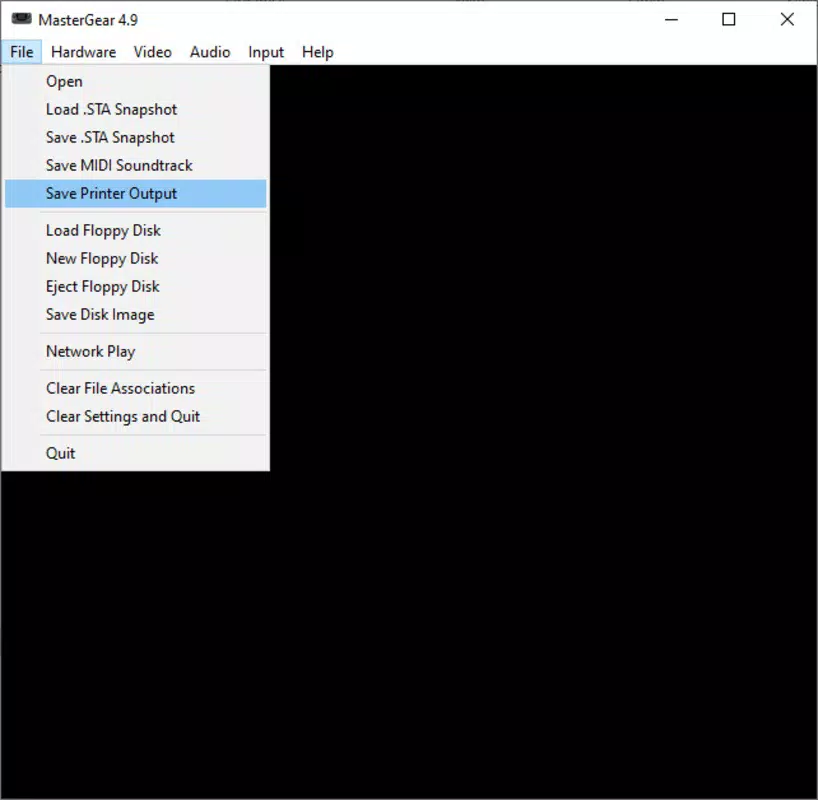
- User-friendly Interface: The app features a classic, straightforward layout that prioritizes ease of navigation. Users can quickly locate and launch games without encountering complex menus or technical barriers.
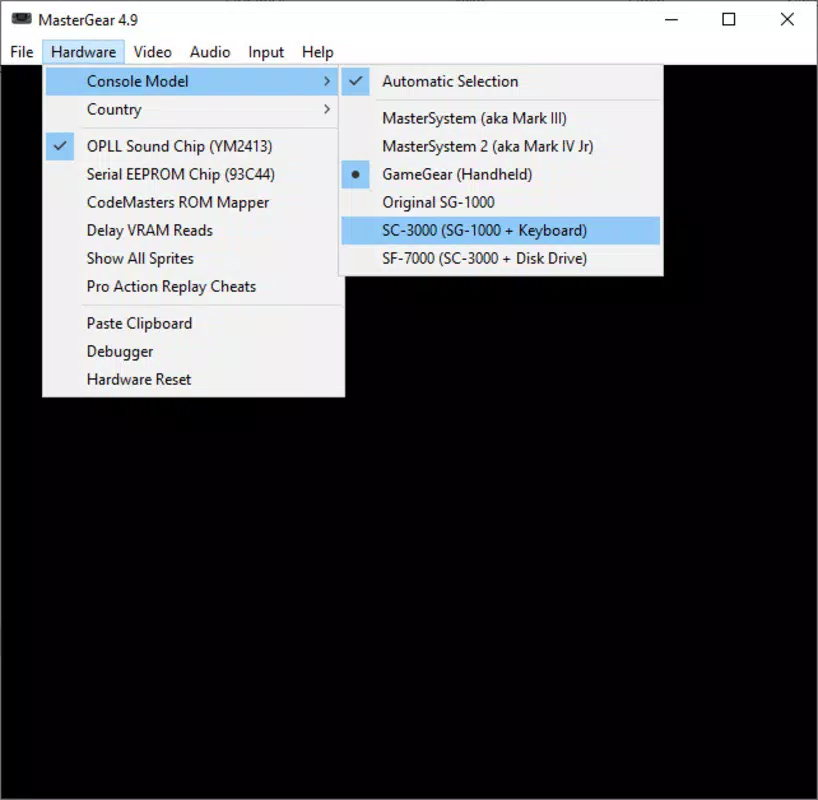
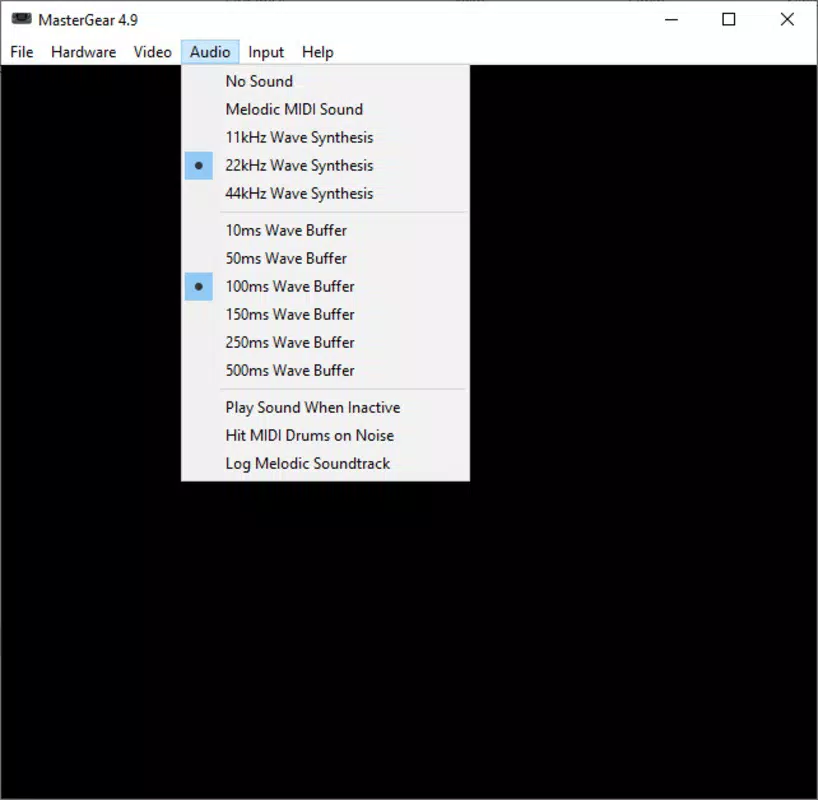
- Customizable Settings: Players can adjust screen resolution, sound quality, and controller configurations to tailor their experience. These options enhance comfort and immersion during extended gaming sessions.
- Wide Compatibility: MasterGear supports multiple operating systems, allowing users on various devices to access the same library of classic SEGA games without compatibility concerns.
- No BIOS Required: A major advantage of the app is its ability to run games without requiring separate BIOS files. This simplifies the setup process and reduces the risk of legal or technical issues related to ROM and BIOS distribution.
For example, a user can download the app, select a ROM file from their device, and begin playing within seconds. The customizable settings allow gamers to optimize visuals and audio based on their device’s capabilities or personal preferences. This functionality is particularly beneficial for users playing on older or lower-end smartphones.
Interface, UX & Performance
MasterGear presents a clean and intuitive interface, designed with retro gaming in mind. The layout emphasizes simplicity, using familiar icons and minimalistic design elements to guide users through game selection and settings. Navigation is linear and predictable, reducing the learning curve for new users, including those unfamiliar with emulation tools.
Although the developer did not list formal performance metrics, the app’s lightweight size suggests optimized code and efficient resource usage. This likely contributes to smooth gameplay on a range of devices, including those with modest hardware specifications. Responsiveness is expected to be high, given the minimal system footprint and lack of heavy background processes.
Stability appears to be a priority, as the app avoids common emulation pitfalls such as frequent crashes or lag during gameplay. The absence of BIOS requirements also reduces potential failure points. However, actual performance may vary depending on the specific ROM, device hardware, and operating system version. The developer did not provide additional technical details.
Platform Compatibility & Technical Requirements
MasterGear is available on both Android and iOS platforms, offering broad accessibility across major mobile ecosystems. The app’s version is 1.0.1, with a file size of 100 KB, making it highly portable and easy to install even on devices with limited storage.
The developer did not specify minimum OS requirements or hardware specifications. Compatibility information was not fully disclosed. Users should ensure their device meets general mobile app requirements for the respective platform. The app is free to download and use, with no in-app purchases or subscription models reported.
Pros and Cons
Pros
- Extremely lightweight at only 100 KB, ideal for low-storage devices.
- Simple, intuitive interface suitable for users of all experience levels.
- No BIOS files required, eliminating a major setup hurdle.
- Supports multiple platforms, increasing accessibility.
- Customizable settings for screen, sound, and controller preferences.
Cons
- Specific technical requirements were not listed.
- Developer did not provide performance benchmarks or device compatibility details.
- No information on update frequency or long-term maintenance.
- ROM file management is user-dependent; app does not include a built-in library.
- Availability on specific iOS or Android versions was not disclosed.
FAQ
Is MasterGear safe to download and use?
Yes, MasterGear is designed as a legitimate emulator tool. However, users should only load ROM files they legally own to ensure compliance with copyright laws.
Can I play SEGA games without a BIOS file?
Yes, MasterGear is engineered to run classic SEGA games without requiring separate BIOS downloads, simplifying the setup process.
Is MasterGear available on both Android and iOS?
Yes, the app is compatible with both Android and iOS platforms, offering cross-platform access.
How do I install ROMs to play games?
Users must manually transfer ROM files to their device. Once added, they can be selected directly within the app to begin gameplay.
Does MasterGear receive regular updates?
The developer has not disclosed update frequency. Users should monitor official channels for new versions.
Final Thoughts
MasterGear stands out as a compact, accessible solution for retro gaming enthusiasts seeking to play classic SEGA titles on mobile devices. Its lightweight design, lack of BIOS dependency, and user-friendly interface make it a compelling choice for those new to emulation or looking for a quick, no-frills gaming experience.
While technical details are limited, the app delivers on its core promise: instant access to a vast library of nostalgic games with minimal setup. It’s especially valuable for users with older or low-storage devices who want to enjoy retro gaming without the usual technical overhead.
For fans of 8-bit console games, mobile gamers, and anyone interested in preserving classic gaming history, MasterGear offers a practical and efficient tool. Its focus on simplicity and compatibility enhances its appeal in a crowded app market.
Download MasterGear now


